FO Table Date Manager
The FO Table Date Manager report allows you to view a list of the various FO tables in your model. To access this report
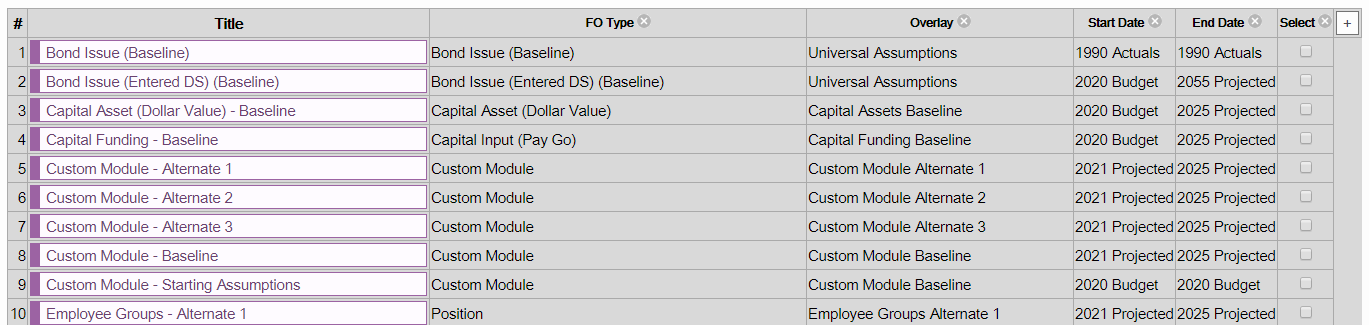
Description of Columns in Table
Title – Name of the FO Table. Clicking on this takes you to the particular FO Table.
FO Type – Specifies the FO Type used to create a particular FO Table.
Overlay – Allows you to view the overlay for a particular FO Table.
Overlay Priority – If you’ve assigned a priority to any FO Table it will appear here. If no priority is assigned it will show 0+0.
Start Date – Allows you to view the start date for a specific table. Clicking on the actual date allows you to update the year.
End Date – Allows you to view the end date for a specific table. Clicking on the actual date allows you to update the year.
Select – Allows you to select individual or multiple FO Tables. When you select an FO Table an operation option appears which you can click on to shift dates or values (see image below).
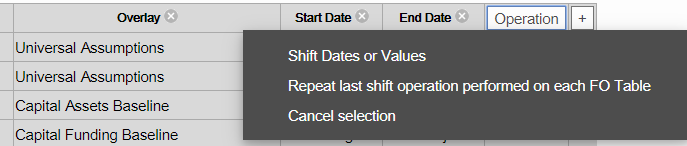
Shift Options
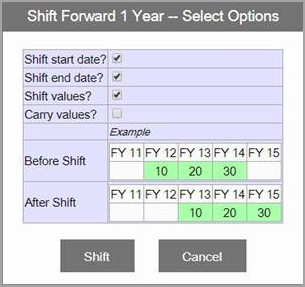
Selecting ‘Shift Dates or Values’ opens up a pop-up window similar to the following: By default "Shift start date" and "Shift end date" are selected. See below for all options that can be used.
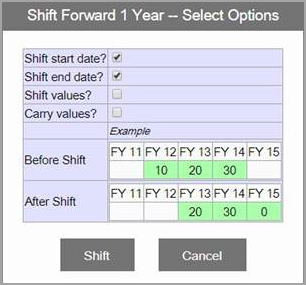
There are four options to choose from. There is a visual diagram that updates as you check off each option to demonstrate the results that will occur for the data in the FO Tables selected, after the shift action is performed.
When shifting forward, you need to make a decision on whether to move the years forward or not (maybe I want to keep the first year, maybe it’s no longer relevant) and you need to make a decision on whether or not to shift the values forward (if something occurred 3 years in the future before, is it still 3 years in the future, or does it move closer by a year – either could be reasonable options depending on the situation).
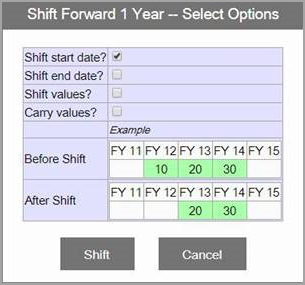
Shift Start date – If your FO Table’s start date is FY12 the new start date will be FY13. Values remain with the original year. In this case FY13 was 20 before the shift & will remain 20 after the shift. You may choose to shift the start date when updating prospective assumption tables as you will most likely want them to start a year later.
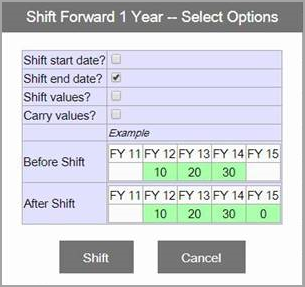
Shift End Date - If your FO Table’s end date is FY14 the new end date will be FY15. Values remain with the original year. The end year, FY15, will display 0 as it did not exist before the shift. You will want to shift the end date when updating prospective assumptions because you are adding an additional year to your model.
Carry Values – Allows you to carry the last value before the shift to the new end date. FY15 has the same value as FY14. This may be beneficial if you’re extending your model years and want to carry your last assumption to the new end year.
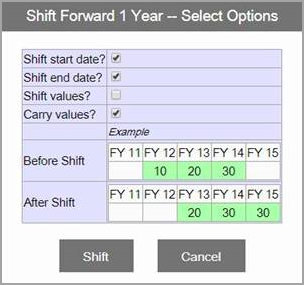
Shift Values – Allows you to shift values as you shift years. In the case above the start & end dates shifted but so did the values. FY13 shows the value that was in FY12 before the shift. You may choose to use this when shifting assumptions related to projects or initiatives that are delayed.