Custom HTML Editor
There are times when you will want to add your own text or images using HTML (HyperText Markup Language) and format it to your needs. This option is available to you in report specs wherever you see an button for Style, whether it's a title, footnote, or a number in reports.
Click on the button and select Custom HTML. The Custom HTML Editor will appear. In the example below a logo and a title, designated as "[content]" using a large blue italic font is displayed in the edit area. The HTML edit controls can be shown or hidden by clicking the little triangle in the lower right corner of the yellow top bar.
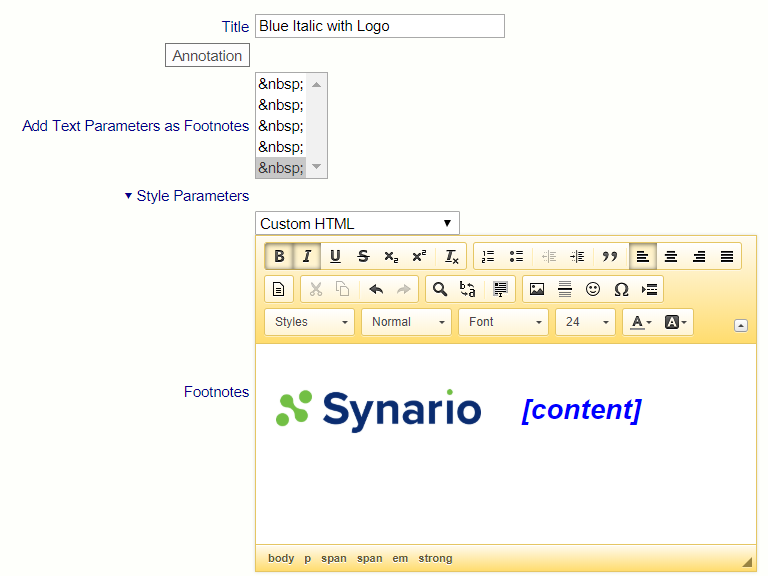
Controls include:
- Bold
- Italic
- Underline
- Sub-script
- Super-script
- Left, Center, Right alignment
- Horizontal Line
- Insert an image (enter a url for the image)
- Fonts
- Sizes
- Foreground (text color)
- Background
Content has a special meaning in the software, it returns the default content.