Change Log
The change log records changes to all objects of a model. Each change record includes
- The object changed
- Who changed it
- When it was changed
- The nature of the change
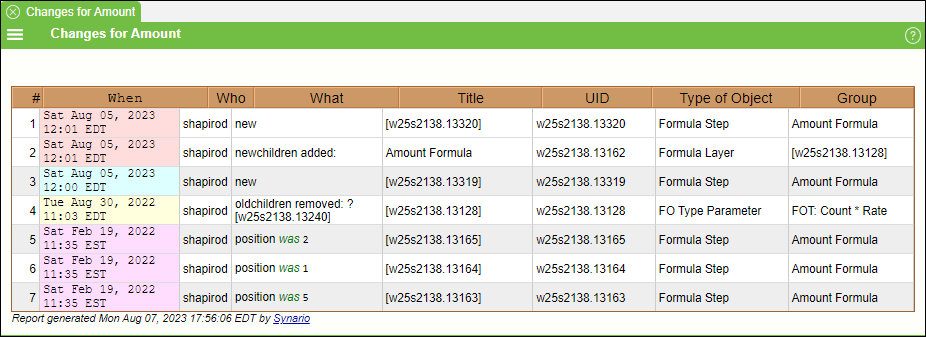
The most recent change of each model object is always available through accessing the undo/redo panel located on the top-right of your screen. Previous changes for each model object may be archived (navigate to the History Panel). Thus each change record will be in one of the following states:
- Most recent change (at most one for each model object)
- Archived previous change (kept in a separate database)
Change Reports
A list of recent changes can be created as a Changes Report with columns for date, who, object and other useful information. Once such a report is created, a new View option becomes available for every model object that shows the changes for that object (or parts of that object). The Daily Distribution of Changes Report can be a useful tool to compute how many records you want to archive.